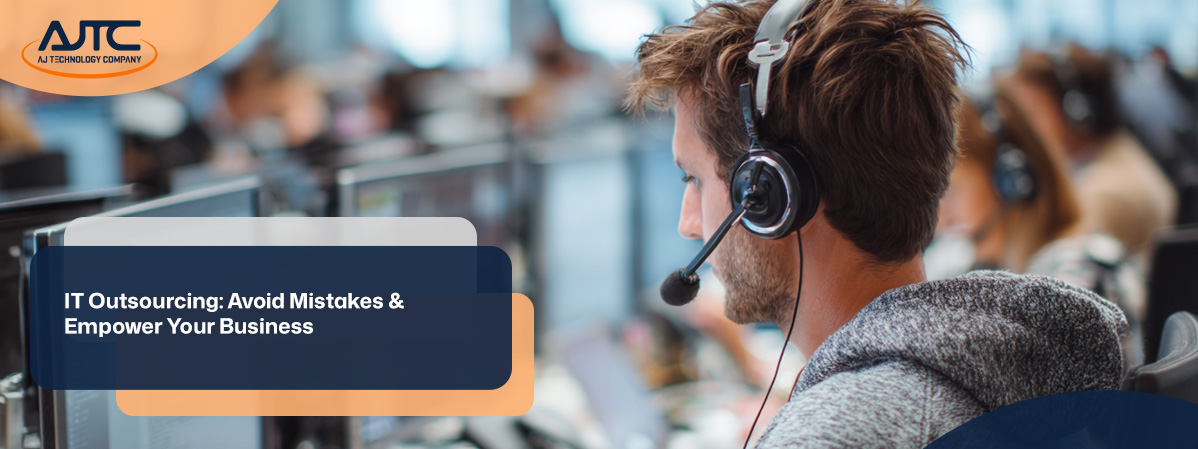
Many businesses are turning to IT outsourcing to reduce costs, improve efficiency, and access specialized skills. Whether you're looking to outsource IT services for the first time or you're re-evaluating your current setup, it's important to understand what works—and what doesn’t. In this blog, you’ll learn the different types of IT outsourcing, the benefits, common mistakes to avoid, and how to choose the right outsourcing partner. We’ll also cover how cybersecurity, disaster recovery, and help desk services fit into your strategy, especially if you're shifting from an in-house team to a third-party provider.
IT outsourcing means hiring a third-party company to handle some or all of your IT tasks. This can include everything from managing your network to providing help desk support. For many businesses, outsourcing allows them to focus on their core business while experts handle the technical side.
Instead of building an in-house team, which can be expensive and time-consuming, outsourcing gives you access to experienced service providers. It also helps you stay current with technology and security standards without needing to train your staff internally.

Outsourcing IT can be a smart move—but only if done right. Here are some common mistakes companies make and how to avoid them.
It’s tempting to go with the cheapest option, but low cost often means lower quality. Instead, focus on value. Look at the provider’s experience, response time, and service quality.
Without clear goals, it’s hard to measure success. Before you outsource, define what you want to achieve—whether it’s faster support, better cybersecurity, or reduced downtime.
Cybersecurity should be a top priority. Make sure your outsourcing partner has strong security protocols, including encryption, access controls, and incident response plans.
If you’re working with an offshore provider, communication can be a challenge. Choose a partner with overlapping work hours and a clear communication process.
Outsourcing doesn’t mean giving up control. Make sure your provider has a disaster recovery plan in place so your data and systems are protected.
Your in-house team should be part of the process. Get their input and keep them informed to ensure a smooth transition.
Always review the service agreement carefully. Make sure it includes performance metrics, response times, and exit terms.
Here are some of the top reasons companies choose to outsource:

There are different ways to outsource IT services, depending on your business needs. You can choose to outsource a single function, like help desk support, or your entire IT department. Some companies prefer onshore providers, while others go offshore to reduce costs.
Each model has its pros and cons. Onshore providers offer easier communication and cultural alignment. Offshore providers can offer lower prices but may require more oversight. Hybrid models combine both to balance cost and quality.
Finding the right partner is key to success. Here are some steps to guide your decision.
Start by identifying what you need help with. Do you need full IT management or just support for specific tasks like software development or help desk services?
Look for companies with experience in your industry. Check their reviews, case studies, and client references.
Make sure the provider has the technical skills your business requires. This includes knowledge of current systems, cybersecurity practices, and compliance standards.
Clear communication is essential. Ask how they handle support requests, updates, and reporting.
Some providers offer dedicated teams, while others use a shared model. Choose the one that fits your workflow and budget.
Your business will grow, and your IT needs will change. Choose a partner that can scale services up or down as needed.
Look beyond the hourly rate. Understand what’s included in the price, and make sure the contract covers service levels, uptime guarantees, and exit terms.

Switching from an in-house setup to outsourced IT services takes planning. Start by documenting your current systems and processes. This helps your new provider understand your environment and reduces the risk of service disruptions.
Next, set a realistic timeline for the transition. Include time for onboarding, testing, and training. Keep your internal team involved so they can support the change and provide feedback.
Managing outsourced IT services effectively helps you get the most value. Here are some best practices to follow:
These steps help you stay in control and ensure your provider delivers what you expect.

Are you a business with over 10 employees looking to improve your IT operations? If you're growing and need reliable support without the cost of a full in-house team, IT outsourcing might be the right move.
At AJTC, we help businesses like yours access expert support, reduce costs, and stay secure. Whether you need help desk services, cybersecurity, or full IT management, our team is ready to support your goals. Contact us today to learn how we can help.
Before you outsource IT services, think about your current pain points and what you want to improve. Many businesses look to outsourcing when their in-house team is overwhelmed or lacks specialized skills. It’s also important to assess your budget and long-term goals.
You should also evaluate the service providers’ experience, especially in areas like cybersecurity and incident response. A reliable partner will help you protect your systems while improving performance.
Outsourcing IT often includes access to cybersecurity experts who stay current with threats and best practices. These third-party teams can monitor your systems 24/7 and respond quickly to incidents.
They also help with compliance, data protection, and disaster recovery planning. For many businesses, this level of protection is hard to achieve with an in-house team alone.
Commonly outsourced IT services include help desk support, network monitoring, data backup, and software development. These services are often time-consuming and require specialized skills.
Outsourcing these tasks allows your internal team to focus on core business functions. It also gives you access to tools and expertise that many businesses can’t afford to build internally.
Choosing the right outsourcing model depends on your business needs. Some companies prefer a fully managed service, while others only need support for specific tasks.
Consider whether you want an offshore provider for cost savings or a local partner for easier communication. Each model has trade-offs, so align your choice with your goals and resources.
The risks of outsourcing include data breaches, communication issues, and lack of control. That’s why it’s important to choose a trustworthy outsourcing partner.
Make sure the provider has strong cybersecurity measures, clear service agreements, and a proven track record. Many businesses reduce risk by starting with a small project before expanding the relationship.
Yes, small businesses can benefit greatly from IT outsourcing. It gives them access to expert support without the cost of hiring full-time staff.
Outsourcing can benefit small businesses by improving uptime, reducing costs, and enabling innovation without the overhead. It also helps them stay competitive in a fast-changing tech landscape.

.svg)
.png)
.png)

.webp)