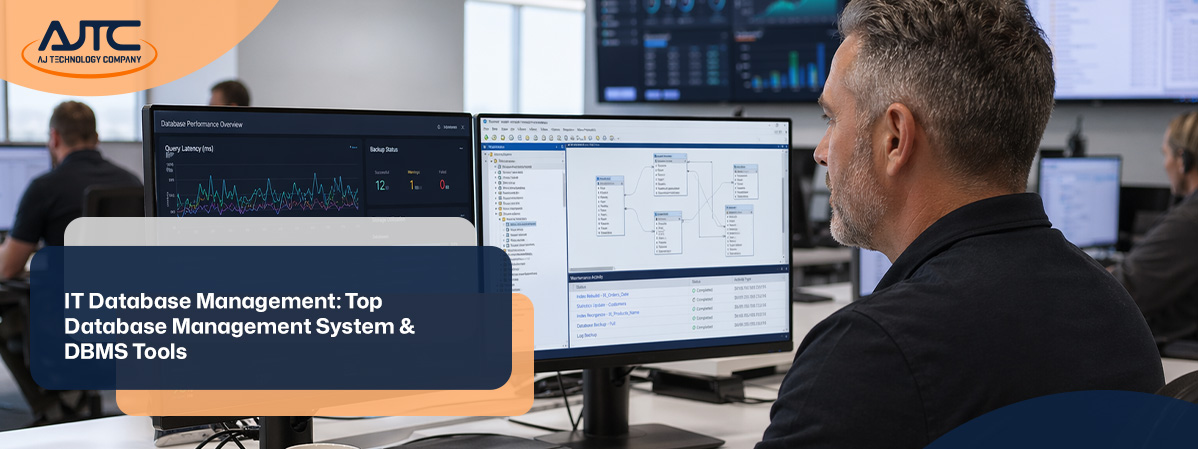
Managing your business’s data is more important than ever. IT database management helps you organize, protect, and use your information efficiently. In this blog, you’ll learn what IT database management is, why it matters, and how to choose the right approach for your company. We’ll cover popular database systems, what a database development company can offer, and key features to look for. You’ll also discover practical steps, common challenges, and answers to questions about data storage, SQL, and analytics.
IT database management is the process of organizing, storing, and maintaining your business’s data. It ensures that your information is accurate, secure, and easy to access when you need it. Companies use a database system to centralize their data, making it easier to manage and analyze.
A good IT database management setup helps you avoid data loss, improve decision-making, and support compliance with data regulations. By using a reliable system, you can store data in a way that supports your business goals, whether you’re tracking sales, customer information, or inventory. Tools like Microsoft SQL Server and MySQL are common choices for businesses that need to manage large amounts of data securely.

Even with the best intentions, businesses can make mistakes that put their data at risk. Here are some of the most common issues to watch out for:
Not backing up your data regularly can lead to major losses if something goes wrong. Without backups, a hardware failure or cyberattack could wipe out important information. Setting up automatic backups is a simple way to protect your business.
Allowing too many people to access sensitive data increases the risk of accidental changes or leaks. Make sure only authorized users can view or edit critical information. This helps maintain data integrity and keeps your business safe.
Using old software makes your system vulnerable to security threats. Regular updates help patch security holes and improve performance. Always keep your database management system up to date.
Without monitoring, you might miss signs of trouble like slow performance or unauthorized access. Analytics tools can help you spot trends and fix issues before they become serious problems.
As your business grows, your data needs will change. Failing to plan for more users or larger databases can cause slowdowns and make it harder to manage your information. Choose a system that can scale with your business.
If you don’t check your data for errors, you could end up making decisions based on bad information. Regular integrity checks help ensure your data is accurate and reliable.
A reliable IT database management system should offer these important features:

There are several types of database management systems (DBMS), each with its own strengths. Relational databases, like SQL-based systems, organize data into tables and are great for structured information. NoSQL databases handle unstructured data and are useful for big data or real-time applications.
Choosing the right type of database depends on your business needs. For example, if you need to process complex queries quickly, a relational database might be best. If you’re working with large volumes of different data types, a NoSQL system could be more appropriate. A database development company can help you decide which system fits your goals and budget.
Choosing the right database is a key decision. Here are the main steps to guide you:
Start by looking at the kind of data you collect and how you use it. Do you need to store structured information, like customer records, or unstructured data, like images? This will help you decide between a relational or NoSQL database.
Think about how much your data will grow over time. If you expect rapid growth, choose a system that can scale easily without slowing down.
Make sure your new database can work with your current software, such as analytics platforms or customer management tools. Integration saves time and reduces errors.
If you handle sensitive information, look for systems with strong security features. Some industries have strict rules about data storage and access, so check if your database supports compliance.
Factor in the cost of software, hardware, and ongoing support. Some systems require more technical expertise, so consider whether you need help from a database development company.
Before making a final decision, test how the database handles your typical workload. Look for fast response times and reliable uptime to keep your business running smoothly.

Once you’ve chosen a system, it’s time to put your IT database management plan into action. Start by setting up your database according to best practices, including user access controls and regular backups. Make sure your team understands how to use the new system and knows who to contact for support.
Regularly monitor your database for performance issues or security threats. Use analytics tools to track usage and spot trends. Schedule routine maintenance, such as software updates and data integrity checks, to keep your system running smoothly. If you need extra help, a database development company can provide expert guidance and support.
Following these best practices will help you get the most from your IT database management system:
Sticking to these habits will keep your data safe and your business running efficiently.

Are you a business with over 10 employees looking to improve your IT database management? Growing companies often face new data challenges as they expand, from handling more records to meeting stricter compliance rules. Our team understands what it takes to keep your data secure, organized, and accessible at every stage of growth.
We help you avoid common mistakes, choose the right database management system, and set up reliable processes. If you want expert support or need a database development company to guide your next steps, contact us today. We’re ready to help your business succeed with the right IT database management solutions.
A database is a structured way to store and organize information, like customer details or sales records. Using a database helps your business keep data in one place, making it easier to access, update, and protect. With a good database system, you can quickly find the information you need and support better decision-making.
Many businesses use databases to centralize their data and improve efficiency. Whether you use a relational database or another format, having a reliable way to store data is essential for growth and compliance.
Database management involves setting up rules and processes to keep your data accurate and consistent. By using tools like SQL and regular integrity checks, you can catch errors early and prevent bad data from spreading through your system.
A database administrator often oversees these tasks, making sure your data stays reliable. Good management also supports analytics and reporting, so you can trust the results you get from your data.
A database management system (DBMS) is software that helps you create, manage, and use databases. It handles tasks like storing data, running queries, and controlling access to information. Popular DBMS options include MySQL and Microsoft SQL Server.
Using a DBMS makes it easier to organize your data and keep it secure. It also allows multiple users to work with the data at the same time, which is important for growing businesses.
There are several types of database management systems, including relational, NoSQL, and data warehouse solutions. Relational systems use tables and are great for structured data, while NoSQL handles unstructured or large-scale data.
Choosing the right type depends on your business needs and the kind of data you handle. A database development company can help you compare options and select the best fit for your goals.
DBMS applications have several key components, such as the database engine, user interface, and security features. The engine processes queries and manages data storage, while the interface lets users interact with the system.
Security features control who can access or change data, helping protect sensitive information. Together, these components make it easier to manage and use your business data effectively.
To decide if you have the appropriate database, review your data needs, growth plans, and integration requirements. If your current system is slow, hard to use, or doesn’t support your analytics goals, it might be time for an upgrade.
A database development company can assess your setup and recommend changes. They’ll look at your data structures, storage needs, and compliance requirements to help you choose the right solution.

.svg)
.png)
.png)

.webp)